
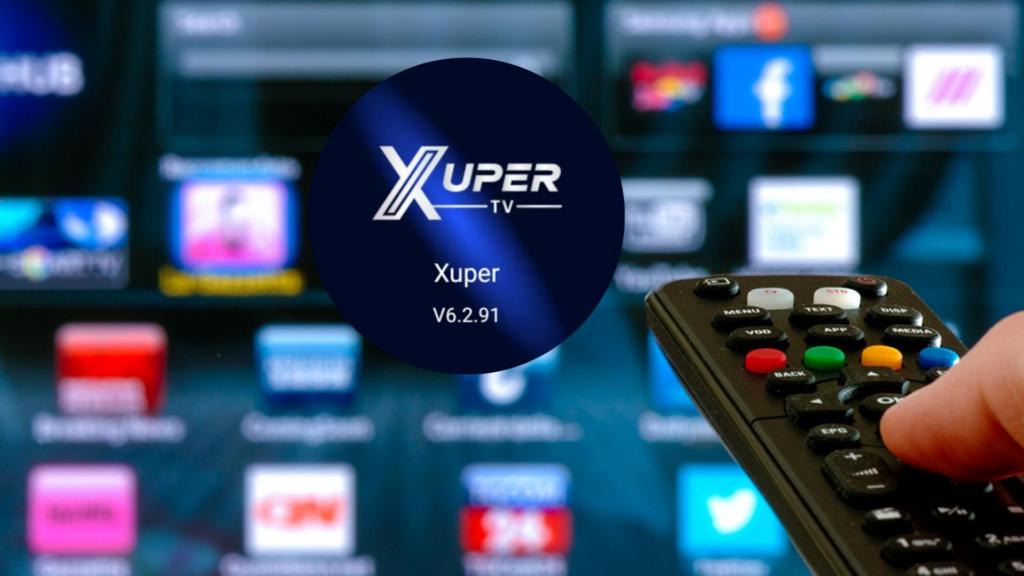
Amazon has blocked Xuper TVformerly known as Magis TV, of the Fire TV Stickthe devices that turn any television into a multimedia center for streaming, accessing video games, music and hundreds of apps.
For a couple of weeks, Amazon has intensified its fight against applications that transmit content illegally and that incur a lack of copyright, which is why both Xuper TV y Magis TV have been affected along with the download of their APK in 2026.
If you were one of the users who wanted install Xuper TV on the Fire TV Stick from Amazon, here we tell you why not to do it, the risks and what applications there are similar to watch movies and series for free but that are legal.
Magis TV and Xuper TV: Are they the same and what is the difference?
More TV It was for a long time one of the most famous websites to watch movies, series and dozens of channels for free, however, as it was illegal, it violated copyright rules and its download was not available through official app stores.
Just using your APK To do “sideloading”, or what would be a download on pages of dubious origin, it was possible to access the application and all its content. However, authorities in various countries including Argentina, Colombia, Chile, Mexico and more, they began to block said site and became Xuper TV.
Xuper TV now works like Magis TV replacement, and although it changed its name, its way of operating is exactly the same; you have to download its APK to access the clandestine service; It is not available in official stores such as Amazon Appstore, Google Play or App Store, and depends on installations outside these ecosystems and only through its APK.

That means that installing your APK for Android or Fire TV It has not gone through the security checks of official stores, which implies legal and security problems for those who decide to use it.
However, governments and organizations throughout Latin America continue to seek to investigate, eliminate and sanction all types of platforms for violate intellectual property laws and cause damage to those who do pay for content rights, since there have been many cases of Internet users victims of scams, theft, identity theft, among other crimes.
To understand better READ HERE:
Is Xuper TV no longer free? This is your APK in 2026
He Xuper TV APK in 2026 is 4.34.3as well as the other versions: 6.5.0 y 7.1.0. Unfortunately, the Magis TV replacement does not prevent copyright infringement crimes and reproduction of illegal contentso the risks when downloading the Xuper TV APK in 2026 they remain the same as Magis TV.
Did Amazon Block Xuper TV on Fire TV Stick?
Yes, Amazon decided remove Xuper TV (formerly Magis TV) from the library of apps available on Fire TV and also block its use even if it was installed through its APK. This measure seeks limit apps that stream illegal or unauthorized contentand protect users from malicious or illegal software.

How to install Xuper TV on Fire TV Stick in 2026?
Although there were users who reported that Xuper TV was already blocked from Amazon’s Fire TV, there are still Internet users who have already managed to evade this blockage from the technology company. Here we tell you what the STEP BY STEP to install Xuper TV on Fire TV Stick.
1. Prepare the Fire TV Stick
Due to Amazon’s recent update to the Fire TV OS, access to developer mode may be hidden:
- And a Configuration > Mi Fire TV > About.
- Press the center button on the remote control on the name of your device (e.g. “Fire TV Stick 4K”) 7 times in a row until the message “You are already a developer” appears.
- Return to Mi Fire TV and enter Developer Options.
- Activa Install unknown apps.
2. Install the Downloader app
- Find the application Downloader in the official Amazon Appstore and install it.
- Open it and, if this is the first time, grant it the necessary permissions to access your files.
3. Download the Xuper TV APK and install the app
- In the Downloader search bar, enter the Xuper TV direct download code or URL. Note: Codes usually vary, so it is recommended to look for the most recent one on official sites or trusted tutorials of 2026.
- Once the APK file download is complete, select install.
- When finished, open the application. You may need to register with an email to link your account for a trial or full access.

Risks of installing Xuper TV APK on Fire TV Stick and other devices
Authorities and cybersecurity experts have issued various warnings about Xuper TV, Magis TV and other illegal applications. The main risks of installing the Xuper TV APK include:
- Malware y virus: APKs from unofficial sources may include Trojans, spyware or malware that infects the device.
- Invasive permissions: These apps may request excessive access (to camera, network, storage) that is unrelated to their function.
- Theft of personal or banking data: Since they are not certified, they can capture sensitive information.
- Legal consequences: Although end users are rarely prosecuted, repeated consumption of pirated content can lead to sanctions or limitations of internet services.
Xuper TV APK 2026: They warn about dangerous permissions in the app
According to a comprehensive analysis of ESETa company specialized in cybersecurity, the publication of notifications through the permiso android.permission.POST NOTIFICATIONS, may encourage a malicious application to send spam or perform phishing attempts directly on the device, exacerbating exposure to fraudulent campaigns.
Likewise, authorization to access audio files increases the danger, since hackers could capture voice recordings, music and other external documentsincluding your personal information.
The use of these applications is not limited to technical vulnerabilities. ESET emphasizes that the permission to install additional packages represents a critical danger.
“Malicious applications can use this to try to trick users into installing additional malicious packages. An attacker could distribute malware or spyware by passing it off as a legitimate update or useful application.”
Goodbye to Xuper TV and Magis TV: Legal and free streaming options
If you search legal and free alternatives To watch content on your TV or Fire TV Stick, these are some recommendations:
- Pluto TV: Offers live channels and on-demand content with no subscription required, funded by ads.
- Pipes: Free platform with movies and series.
- Vix: Free streaming with movies and series in Spanish.
- YouTube: With free content and official channels.
- Rakuten TV (free section): Content with ads at no cost.
Additionally, if you want new releases or more recent content, you can opt for services payment and legal widely available as Netflix, Amazon Prime Video, Disney+, HBO Max y Star+all officially available on Fire TV Stick.
Related
You may also like
-
New viral trend! How to ask ChatGPT to make a cartoon about your life
-
The artificial intelligence that could end apps and subscriptions
-
Netflix revolutionizes: New app with vertical videos, already in testing!
-
Samsung Galaxy S26 Ultra leaked!: See the real photos and discover its release date
-
iPhone 18 Pro: Leaks reveal a design focused on power